Clustered REST
The clustered REST API can be enabled to allow you to monitor clustered statistics of distributed objects through HTTP endpoints.
Enable Clustered REST
The REST API is disabled by default.
To enable clustered REST in Management Center, use the hazelcast.mc.rest.enabled property at startup.
Root endpoint
The entry point for the clustered REST API is /rest. This resource does not have any attributes.
Parameters
All parameters that are used in the REST endpoints, such as cluster names and distributed data structure names, must be URL encoded. Such parameters are marked in braces ({ and }) in the URL description for each endpoint. For example, name.with/special@chars parameter value would be encoded as name.with%2Fspecial%40chars.
Encoding does not make every character usable: a name that contains a percent sign (%, encoded as %25) or a backslash (\, encoded as %5C) will be rejected with 400 Bad Request. For guidance on choosing names, see Naming Data Structures.
If no data can be found for an endpoint, that endpoint returns a 404 HTTP status code.
Authentication
Unless the security provider is set to dev mode, users need an authentication (auth) token to send requests to the REST API.
The auth token must be included in the following header:
- Authorization: Bearer <user_auth_token>
Generate auth tokens
The way in which you generate an auth token depends on the security provider that you use. See Security Providers.
All auth tokens inherit roles from the user.
| Security Provider | Method for issuing tokens |
|---|---|
| Local Security Provider | Use the Send a Use Auth |
| All other security providers other than dev mode | Send a Use Auth |
Use api/tokens endpoint
To use the /api/tokens endpoint for security providers except SAML and OIDC, run the following command. Replace the <username> and <password> placeholders with the credentials of a user logged in to the Management Center.
curl -u <username>:<password> -d '{"username":"<username>"}' -H "Content-Type: application/json" -X POST http://localhost:8080/api/tokens
To use the /api/tokens endpoint for SAML and OIDC, run the following command.
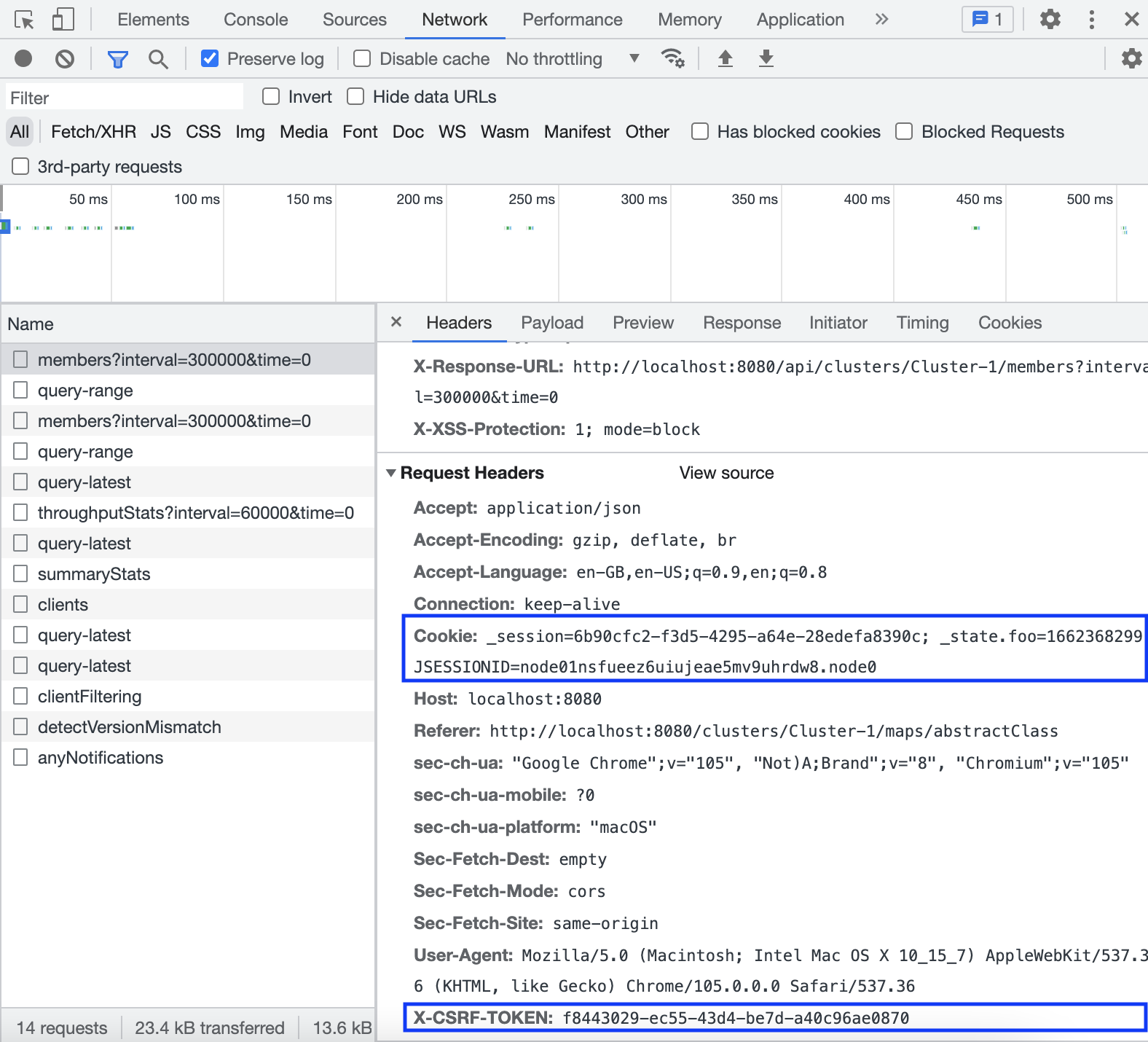
curl -d '{"username":"<username>"}' -H "X-CSRF-TOKEN: <x-csrf-token>" -H "Cookie: <cookie>" -H "Content-Type: application/json" -X POST http://localhost:8080/api/tokens
Here, replace the <username> placeholders with the username of a user logged in to the Management Center, and replace the <x-csrf-token> and <cookie> with X-CSRF-TOKEN and Cookie headers. You can get the headers from any request on Network tab in Developer Tools when you are logged into Management Center:
Use hz-mc conf tool
To use the hz-mc conf tool, do the following:
- Linux and Mac
- Windows
hz-mc conf user issue-token -n <username>
mc-conf.bat user issue-token -n <username>
The created token is displayed in the output:
Successfully issued a token for user 'test_user'.
Token: 'mJMMDfaSWZ1MuqhmGhA8m4erCNZtPi_A4_VyR_y8eH0'
Label: 'test_user_2021-07-07T17:24 EEST'
Use Auth Token Management UI
-
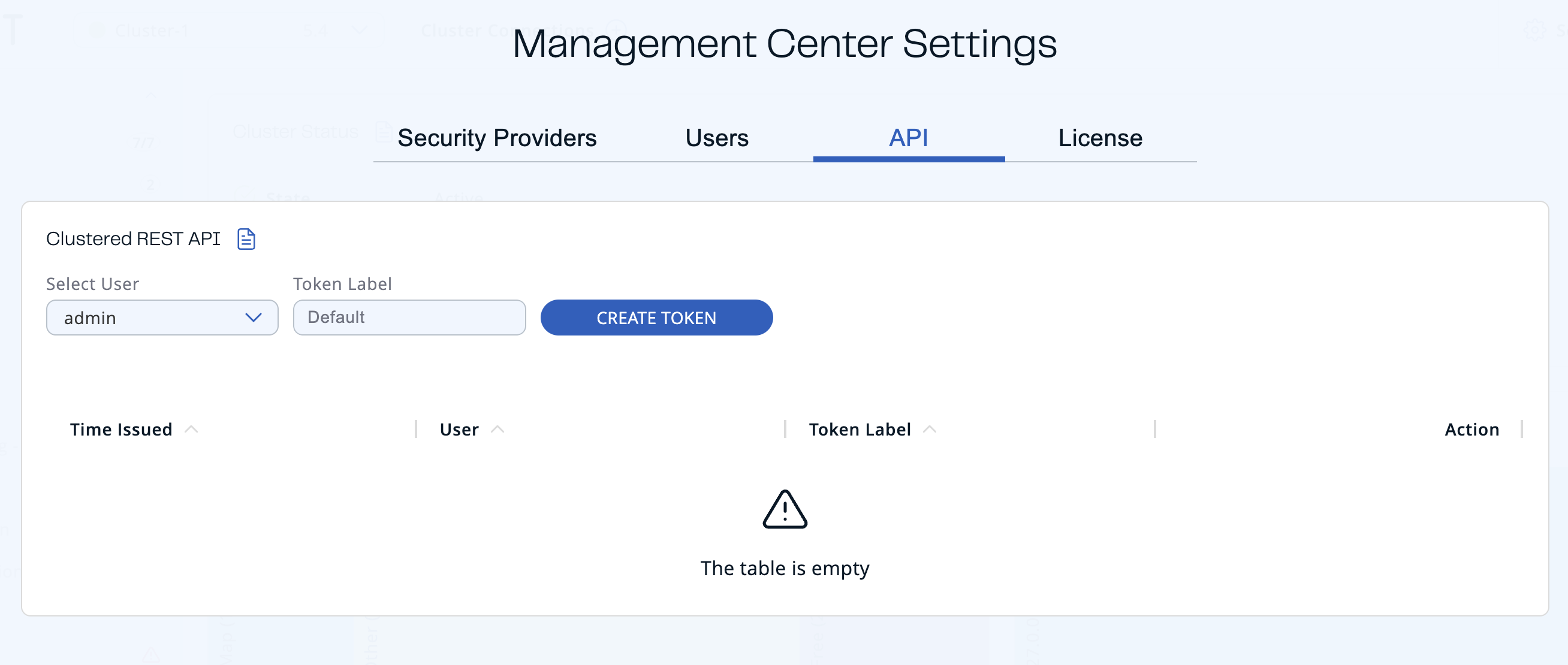
Click Settings in the Top Bar.
-
Navigate to the API tab.
-
Select the user that you want to create a token for. Only an admin can create tokens for other users.
-
Enter the label of the token that you want to create. Default value has the
username_creationTimeformat. -
Click Create Token.
The created token appears on the right-hand side.
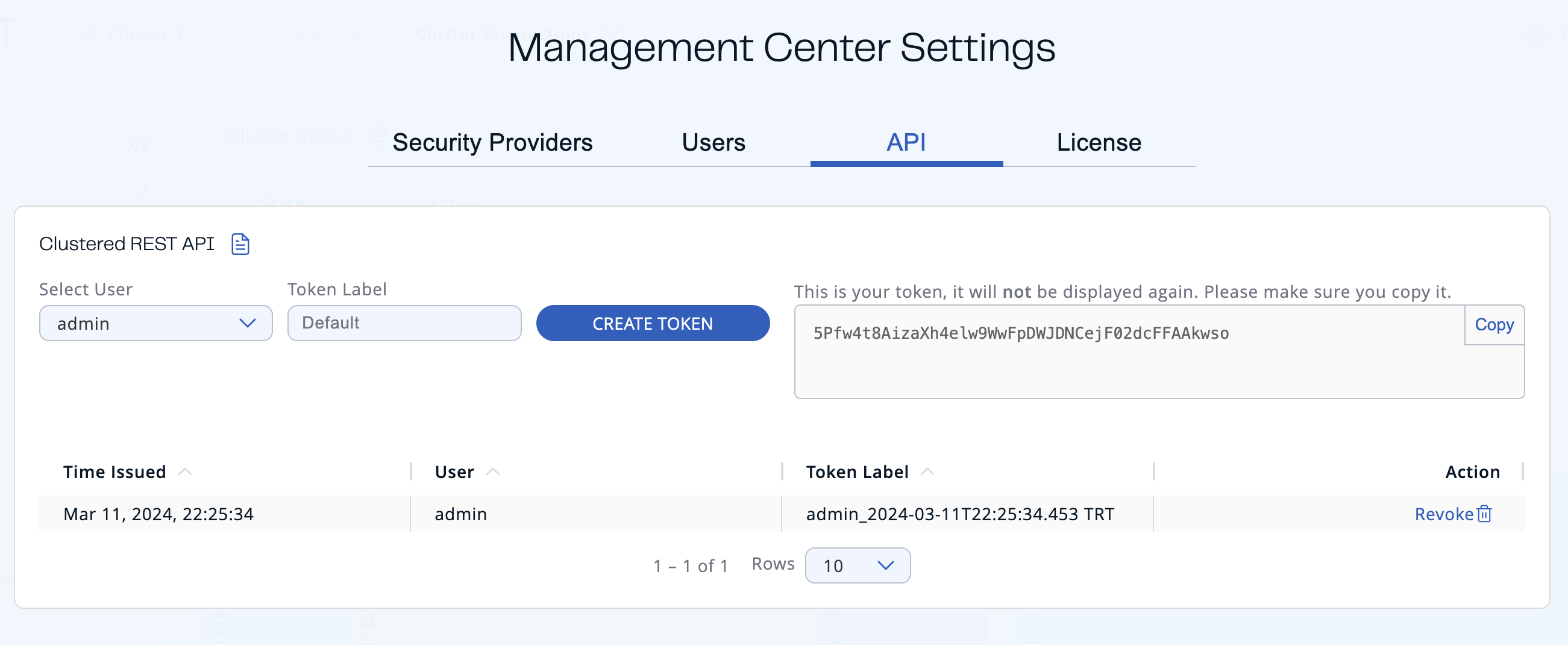
You can copy your token to the clipboard.
The token will not be displayed again, so make sure you note it before leaving the page or creating a new one.
You can see the list of existing tokens in the table, at the bottom of the page.

| Field | Description |
|---|---|
| Time Issued | Date and time when the token was created. |
| User | Username which the token is created for. |
| Token Label | Label of the token. |
| Action | Action for revoking a token. |
Revoke all auth tokens
To revoke all auth tokens for a user, use the user revoke-tokens task.
- Linux and Mac
- Windows
hz-mc conf user revoke-tokens -n <username>
mc-conf.bat user revoke-tokens -n <username>
OpenAPI definitions
The Clustered REST endpoints are documented in OpenAPI format. See the following:
- Client Filtering API
- Cluster Metrics API
- Cluster Connections API
- WAN Replication API
- Diagnostics Config API
This documentation is also accessible at the /swagger-ui/index.html endpoint of Management Center. For example http://localhost:8080/swagger-ui/index.html.