
Cluster states determine what cluster operations are available. By changing the state of a cluster, you can grant or restrict cluster operations such as migrations as well as change the behavior of those operations.
You may want to change a cluster’s state to do the following:
-
Add multiple new members to the cluster without triggering repartitioning after each member joins.
-
Perform maintenance on a cluster without triggering repartitioning.
Before you begin
You should already understand the concept of cluster states. For details about cluster states, see Cluster and Member States in the Platform documentation.
You must be an admin user to use this feature.
Change the state of a cluster
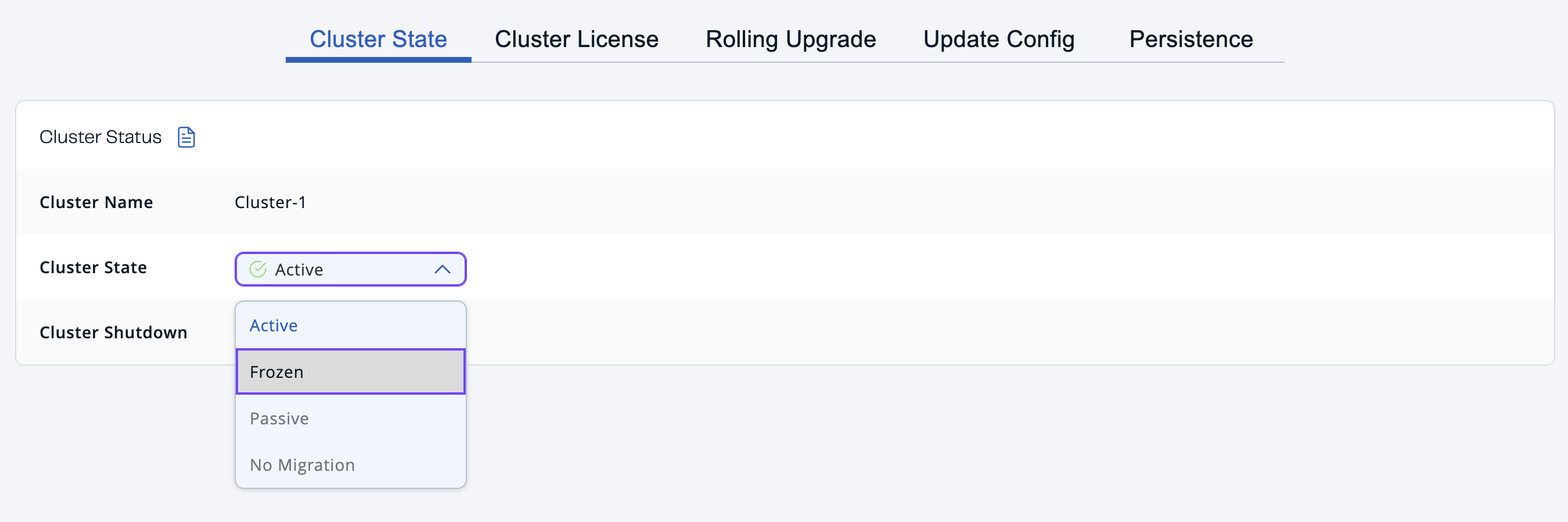
To change a cluster’s state, go to Administration > Cluster State and select a state from the dropdown menu.
Next steps
After changing the state of a cluster, you may want to shut it down and perform maintenance on it. To shut down a cluster, see Shut down members and clusters.
To trigger a hot backup of the persistence store, see Trigger hot backups.