JAAS
You can use your own `javax.security.auth.spi.LoginModule` implementation for authentication and authorization in Management Center.
Set up the JAAS security provider
To set up JAAS, you need to configure settings in the UI, the hz-mc conf tool, or a YAML declarative configuration file.
- UI
- mc-conf
- YAML (Beta)
You must be an admin user.
To set up the local security provider in the UI, go to Settings > Security Providers > JAAS.
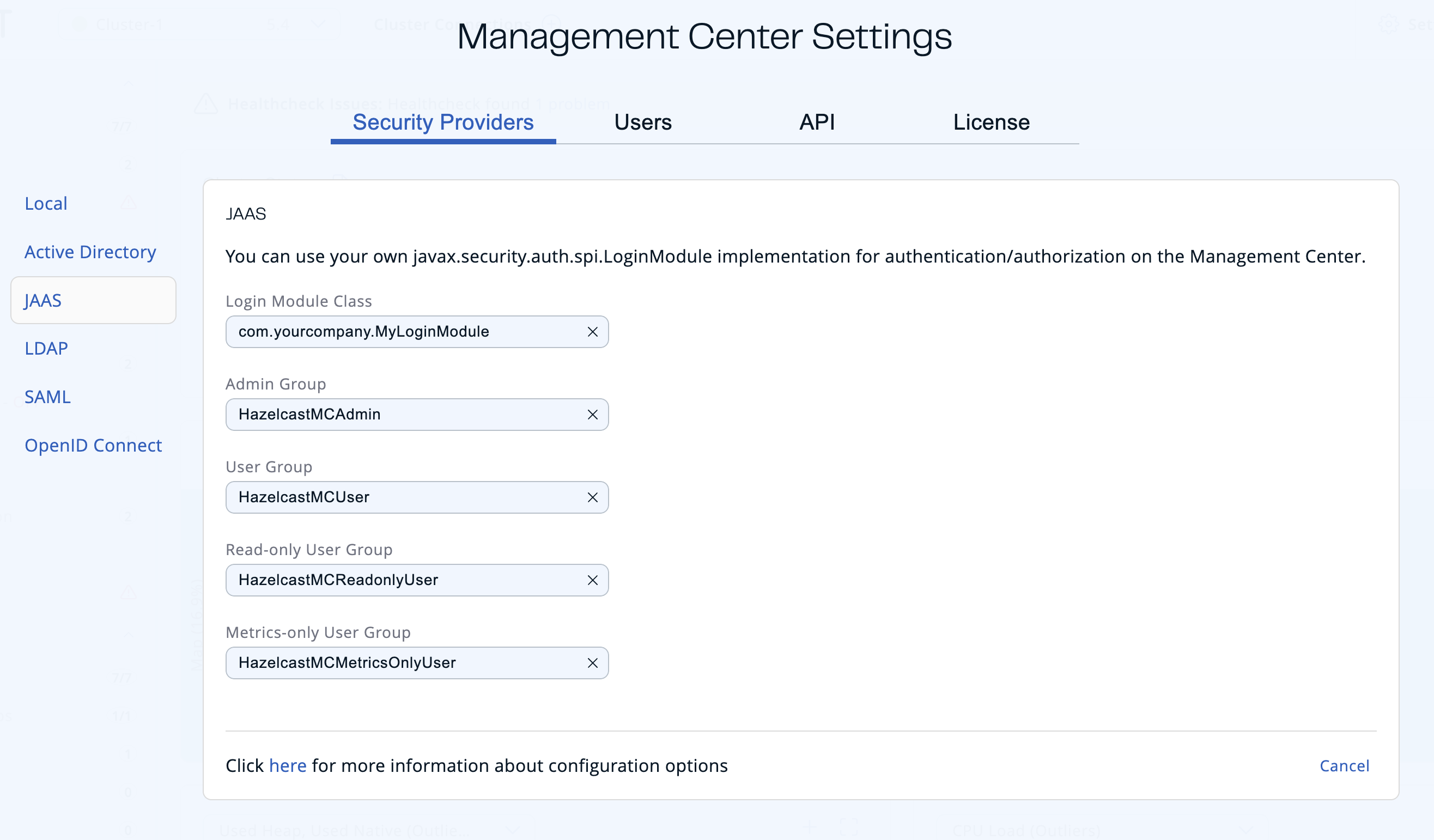
Use the jaas configure task. For help, use the -h flag or see Management Center Configuration Tool.
hz-mc conf jaas configure
mc-conf.bat jaas configure
Declare a jaas block under securityProvider in a YAML declarative configuration file:
securityProvider:
  jaas:
    loginModuleClass: "com.example.MyLoginModule"
    roles:
      adminGroups: "mc-admins"
      readWriteGroups: "mc-writers"
      readOnlyGroups: "mc-readers"
      metricsOnlyGroups: "mc-metrics"
- Login Module Class: Fully qualified class name of your
javax.security.auth.spi.LoginModuleimplementation. - Admin Group: Members of this group have admin privileges on the Management Center.
- User Group: Members of this group have read and write privileges on the Management Center.
- Read-only User Group: Members of this group have only read privilege on the Management Center.
- Metrics-only Group: Members of this group have the privilege to see only the metrics on the Management Center.
Create and manage users
To create and manage additional users, you must configure them in your JAAS login module.
When creating users, be sure to give them a valid role. See User management.
The following is an example implementation. Note that this example returns two java.security.Principal instances; one of them is the username and the other one is a group name, which you will use when configuring JAAS security as described above.
import javax.security.auth.Subject;
import javax.security.auth.callback.Callback;
import javax.security.auth.callback.CallbackHandler;
import javax.security.auth.callback.NameCallback;
import javax.security.auth.callback.PasswordCallback;
import javax.security.auth.login.LoginException;
import javax.security.auth.spi.LoginModule;
import java.security.Principal;
import java.util.Map;

public class SampleLoginModule implements LoginModule {
    private Subject subject;
    private String password;
    private String username;

    @Override
    public void initialize(Subject subject, CallbackHandler callbackHandler, Map<String, ?> sharedState, Map<String, ?> options) {
        this.subject = subject;

        try {
            NameCallback nameCallback = new NameCallback("prompt");
            PasswordCallback passwordCallback = new PasswordCallback("prompt", false);

            callbackHandler.handle(new Callback[] {nameCallback, passwordCallback });

            password = new String(passwordCallback.getPassword());
            username = nameCallback.getName();
        } catch (Exception e) {
            throw new RuntimeException(e);
        }
    }

    @Override
    public boolean login() throws LoginException {
        if (!username.equals("emre")) {
            throw new LoginException("Bad User");
        }

        if (!password.equals("pass1234")) {
            throw new LoginException("Bad Password");
        }

        subject.getPrincipals().add(new Principal() {
            public String getName() {
                return "emre";
            }
        });

        subject.getPrincipals().add(new Principal() {
            public String getName() {
                return "HazelcastMCAdmin";
            }
        });

        return true;
    }

    @Override
    public boolean commit() throws LoginException {
        return true;
    }

    @Override
    public boolean abort() throws LoginException {
        return true;
    }

    @Override
    public boolean logout() throws LoginException {
        return true;
    }
}
Using --force to configure JAAS
Use the -f / --force flag with jaas configure to make configuration idempotent:
- If JAAS is not yet configured, it is set up.
- If JAAS is already configured with the same settings, the command succeeds without making any changes.
- If JAAS is already configured with different settings, the existing configuration is overwritten without needing to run
security resetfirst. - If a different security provider is currently active, the command fails with an error even when
--forceis used.
Next steps
For details about the hz-mc conf tool, see Management Center Configuration Tool. For details about the YAML declarative configuration file, see YAML declarative configuration.