Update cluster configuration at runtime
You can add YAML or XML configuration blocks to your running cluster, without needing to restart it.
Go to Administration > Update Config.
Supported configuration
Management Center allows you to add configuration for the following at runtime.
A configuration block is one that is a direct child of hazelcast.
-
New data structure blocks
noteYou cannot add map indexes using the Update Config page. To add map indexes, use the
CREATE INDEXstatement in the SQL browser. -
New WAN Replication blocks
-
New or updated Enterprise licenses
For examples of YAML and XML configuration, see the Hazelcast GitHub repository:
Submit new configuration to the cluster
You can add configuration blocks to the text field or you can upload a YAML or XML configuration file.
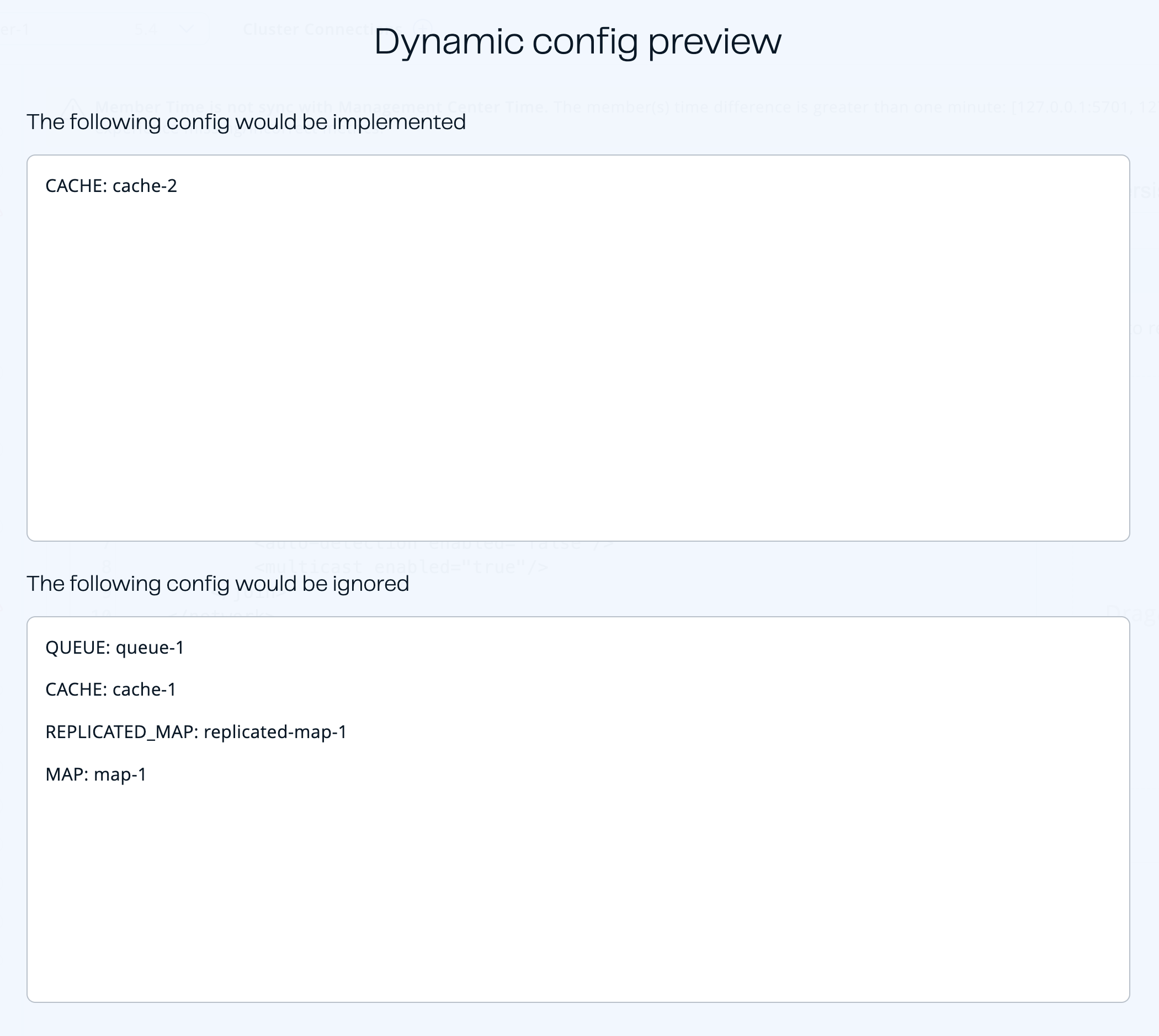
If you submit an existing configuration block, other than license, that already exists, the cluster ignores that configuration block and applies only the new ones.
Update Config page
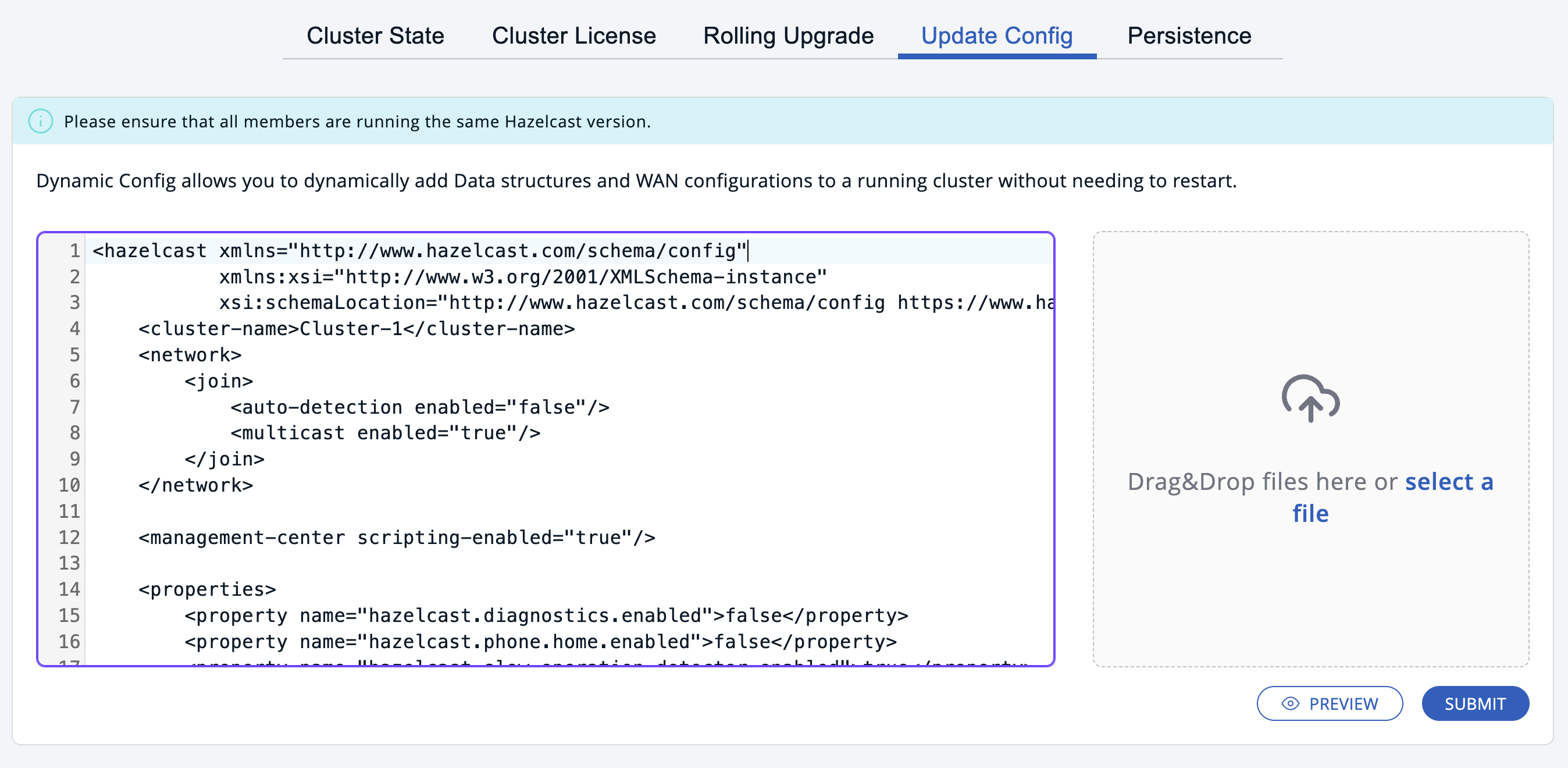
To check which configuration blocks will be applied, click the Preview button.
Preview
To apply the new configuration, click the Submit button.
When the configuration is submitted to the cluster, the cluster sends back one of the following results:
| Status | Description |
|---|---|
| Started | Management Center successfully uploaded the configuration to the cluster. |
| In Progress | Management Center is uploading the configuration to the cluster. This is an intermediate result for large configuration blocks. You may not see this status if you submit small configuration blocks. |
| Failed | Some or all configuration blocks were not applied to the cluster. Possible errors: PARSING_FAILURE, SCHEMA_VALIDATION_FAILURE, GENERIC_FAILURE, INVALID_LICENSE |
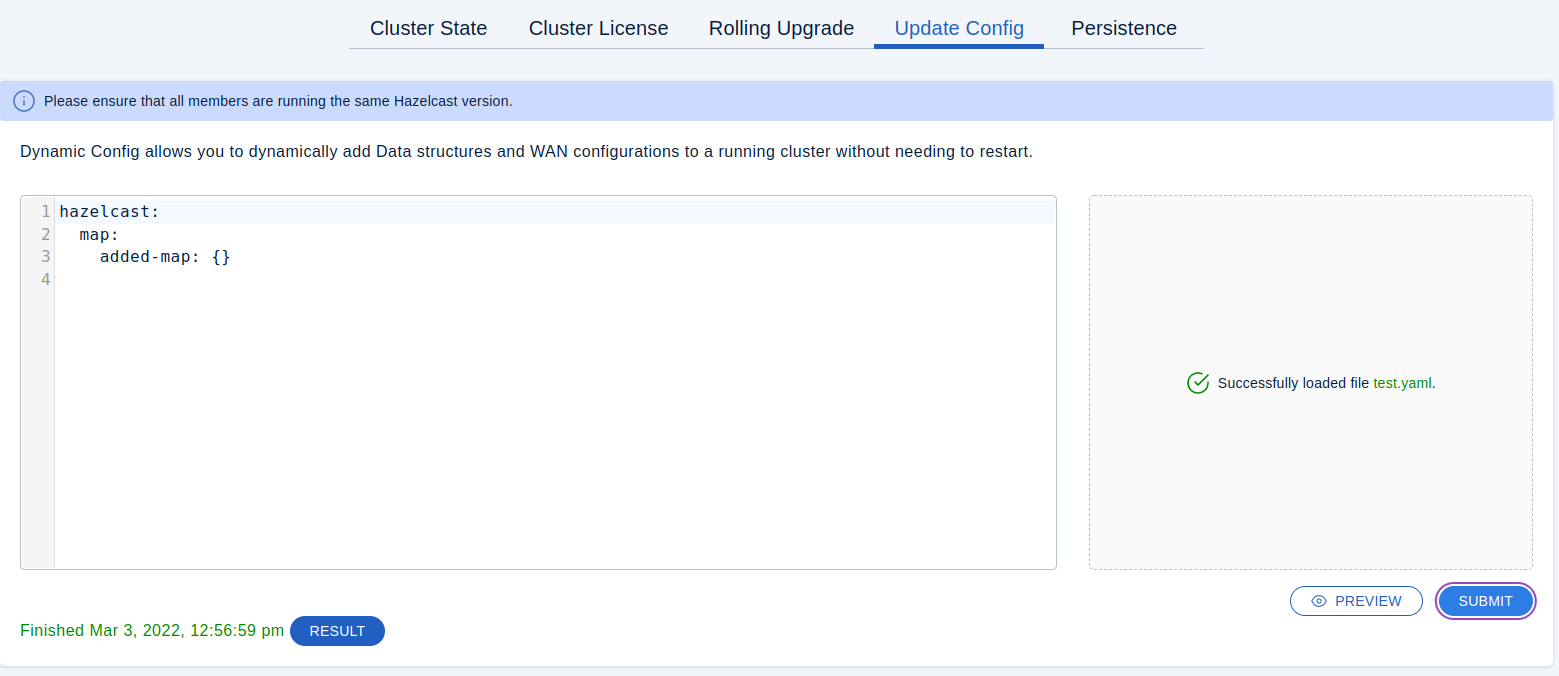
| Finished | The configuration was successfully applied to the cluster. |
Success result
Failure result
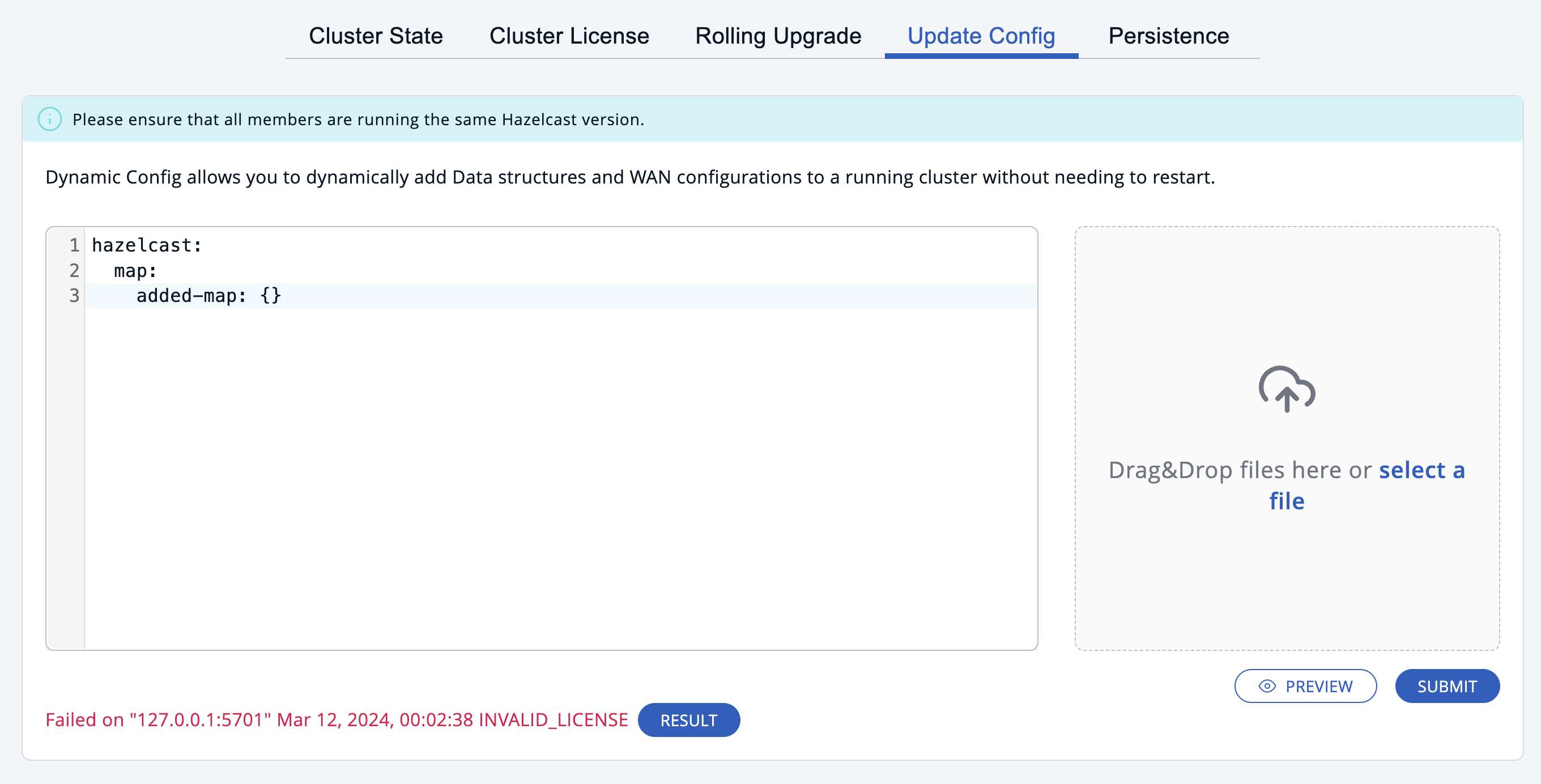
To view the applied changes or errors, click the Result button.
Troubleshooting
Use this section to find suggestions for resolving errors that may occur with dynamic configuration.
Failed results
Configuration updates are not atomic. For example if you submit a new configuration block for a map and a queue, the map configuration block may be successfully applied, but the queue configuration block may fail. In this case the map configuration block is not reverted, but you will see a Failed result.
Click on the Results button to see which configuration blocks were applied and which were ignored.
To apply the configuration blocks that failed, submit the same configuration blocks.
If you submit an existing configuration block, other than license, that already exists, the cluster ignores that configuration block and applies only the new ones.
Server request error
If you see the following error after submitting a configuration, make sure that you are submitting valid XML or YAML:
Server request error: An exception occurred: expected type: JSONObject, found: String.